Technical Services Guidelines and Policies
How to Open a case?
There are two ways of opening a case
Opening cases from Portal
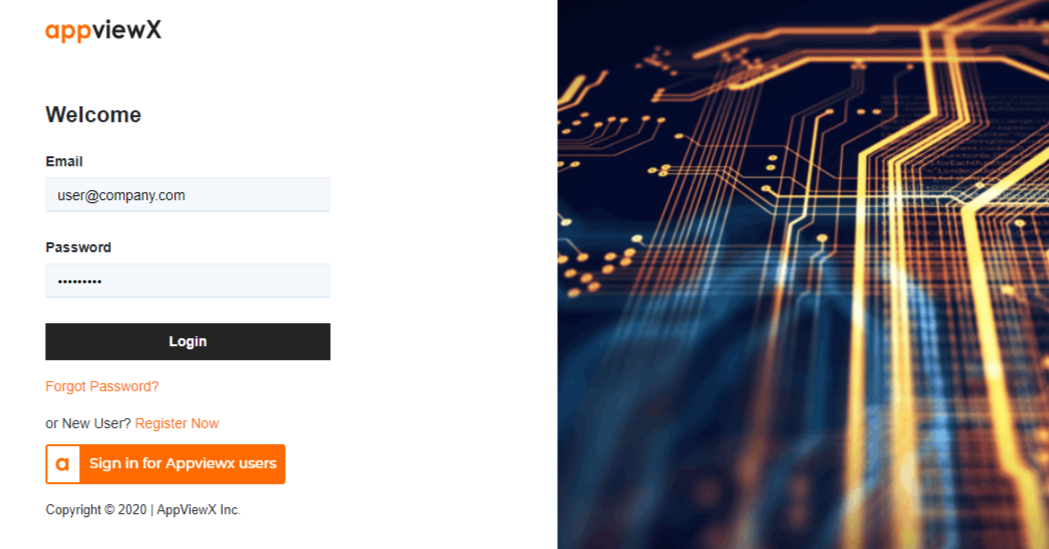
The support portal for AppViewX is
helpcenter.appviewx.com.
1. Login to HelpCenter
If you don’t have an account yet,
click here to see how to create an account.
2. Open a case
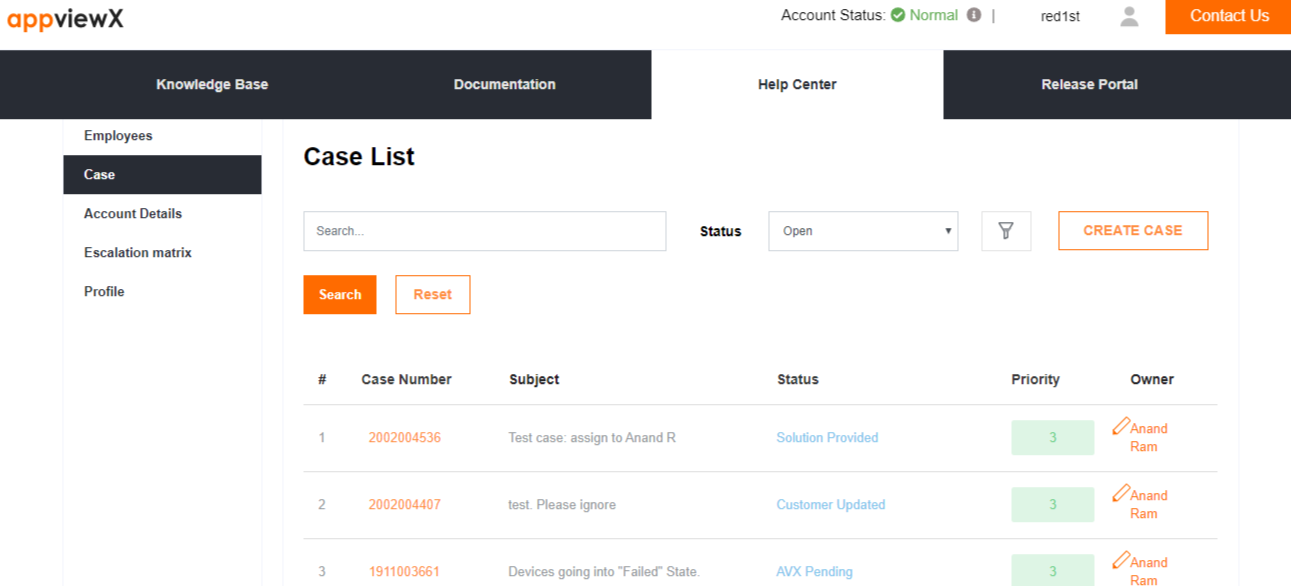
a. Click on the CREATE CASE button on the right, in the row under Case List
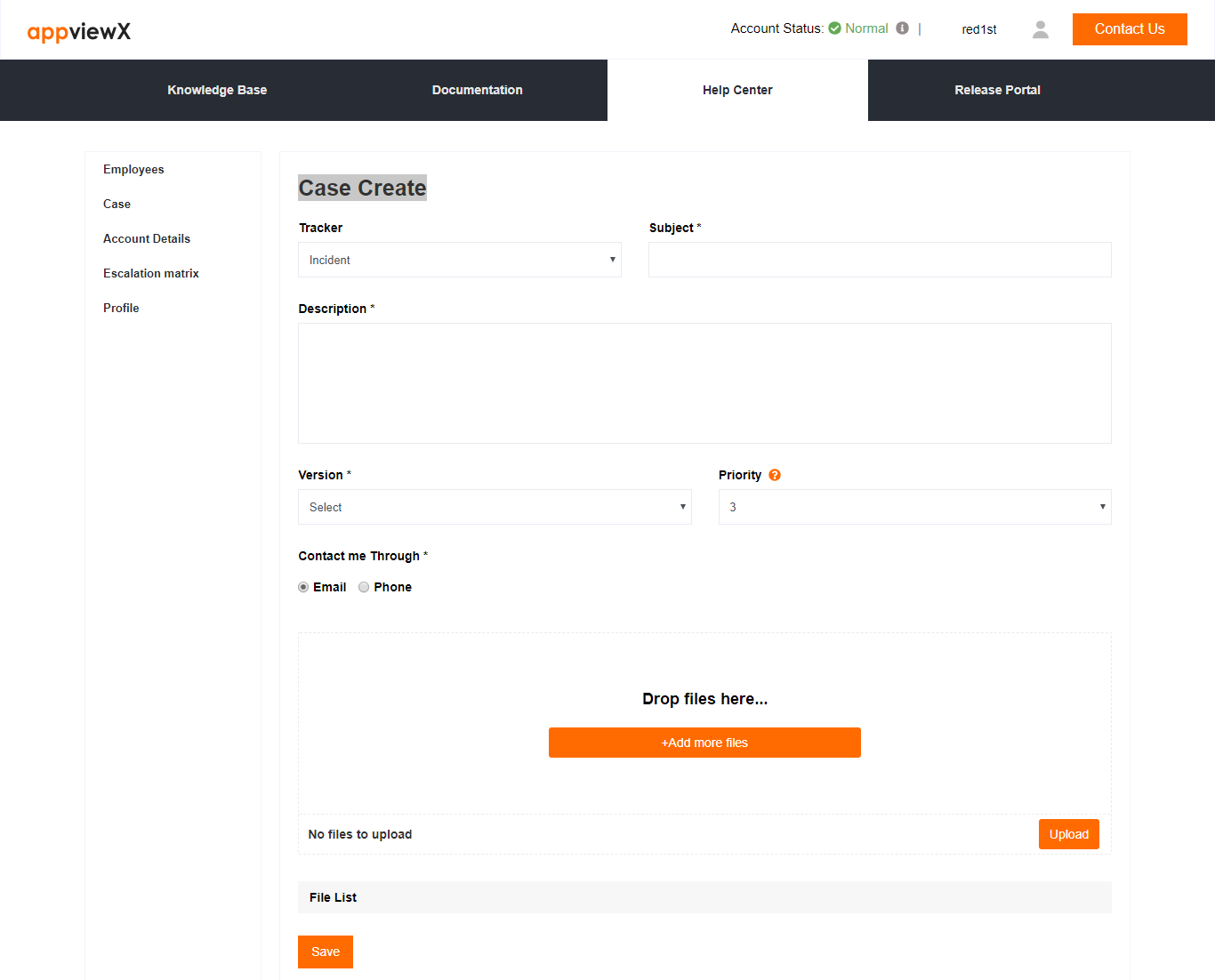
b. You will be guided through the process of creating a case. When in doubt refer to

icon. Choose the tracker as
- Incident - To open an incident
- Feature Requests - To request for new features.
- OnBoarding - For help with new installs of AppViewX or version upgrade of AppViewX.
Open a case via email
It's easy to open a case! Just send an email to [email protected]. You will receive an email confirming the case creation.
Note: The case will always be opened as a Priority 3 case. The customer can later change the priority level of the case based on its perceived severity in the portal.
Confirmation that a case is opened
Once a case is opened you will get an email confirming that a case has been opened with the case details. The subject will contain
- the 10-digit case number
- the subject of the case.
- Reference number - This will track all emails against the case. Never remove or alter this.
Note: Never remove or alter the Reference number. The reference number allows the system to track all emails against a specific case.
Here is a sample email
From: Appviewx Support
Subject: #YYMMAAAAAA: Case Subject ref:_00D7F47PR._5007Fy8uuC:ref
Hello XXX,
A case has been created successfully. An engineer will contact you shortly. If you want immediate attention, we are reachable on +1 212 390 1644 To change the case priority visit AppViewX Support page and update.
Case Details,
Case Number: 2002004509
Open Date/Time: 2/24/2020
Priority:3
Subject: Test Case
Description:
Regards,
AppViewX Support
ref:_00D7F47PR._5007Fy8uuC:ref
Based on the case description provided, the case will be prioritized according to the severity definition given below:
Severity Definition
| Priority |
Description |
| 1 |
Critical: Inability to use the product |
- Crash/Loss of data/Inability to install/Other broken core functionality
- Affects all or nearly all users
- A broken functionality which severely impacts your business
|
| 2 |
High: Inability to use some of the functionalities in the product |
- Serious problems/Inability to open certain features. While difficult, customer can live with workarounds provided/Tediously slow
- Affects many users
- Intermittent Issues
|
| 3 |
Medium: Issues with limited or no service impact |
| 4 |
Low: Information Required |
Service Levels
Recommendation
We respond to all cases within 30 mins from the time of opening a case. However, we understand that at times 30 mins is too long and you would need immediate help, especially for a P1 case. We recommend that you call our Support number (+1-212-390-1644) (+1 206 207 7541 option 2) when you need immediate attention.
Escalation Matrix
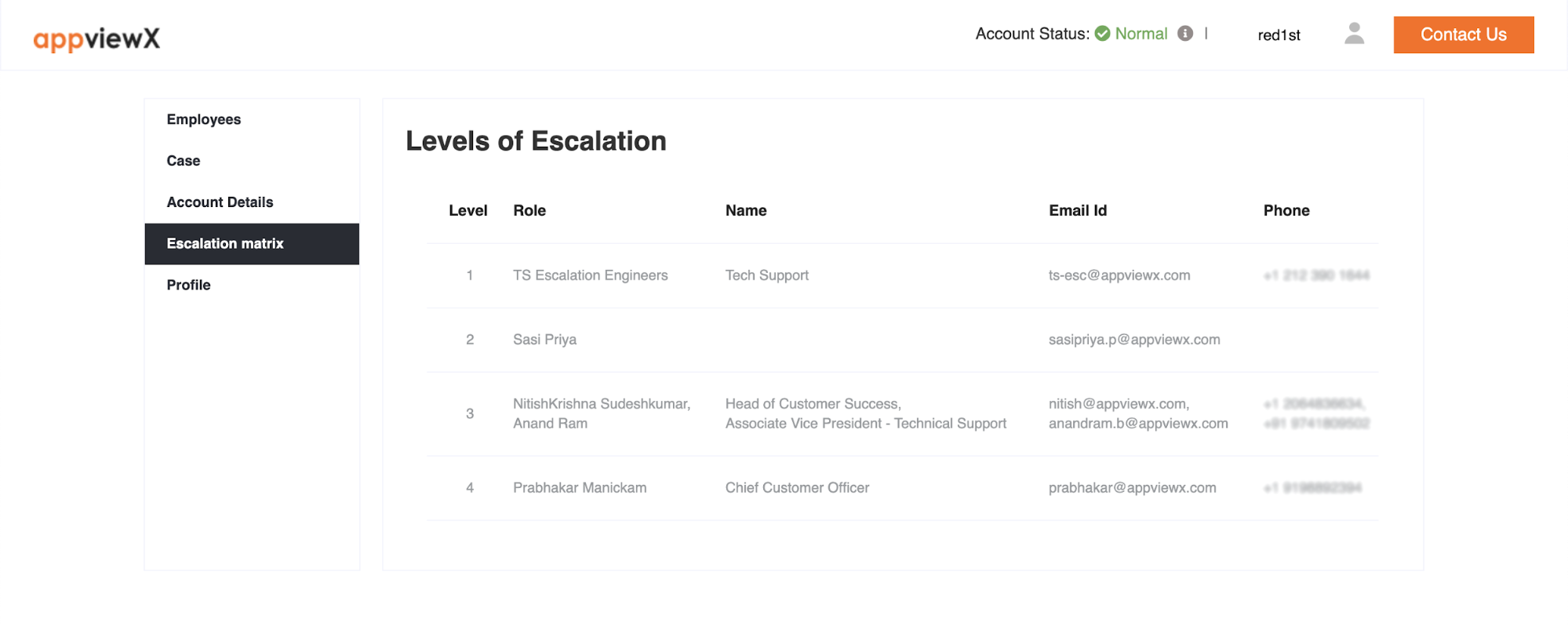
You can find this information on the HelpCenter Portal. The CSM information is auto-populated. Once you login, you will find information in the ‘Escalation Matrix’ section. Here is a sample screenshot.
Did you know?
You can escalate a case from the HelpCenter portal.
Case Escalation
You will find this option inside a case.
Click on the button after opening a case. Each click of the button will escalate it to the next level in the escalation matrix.
Upon clicking the escalate button you will see the button . You will be able to view the level to which this case is escalated to by clicking on this button.
You will not be able to see for a case which isn't escalated.
Escalate the Account
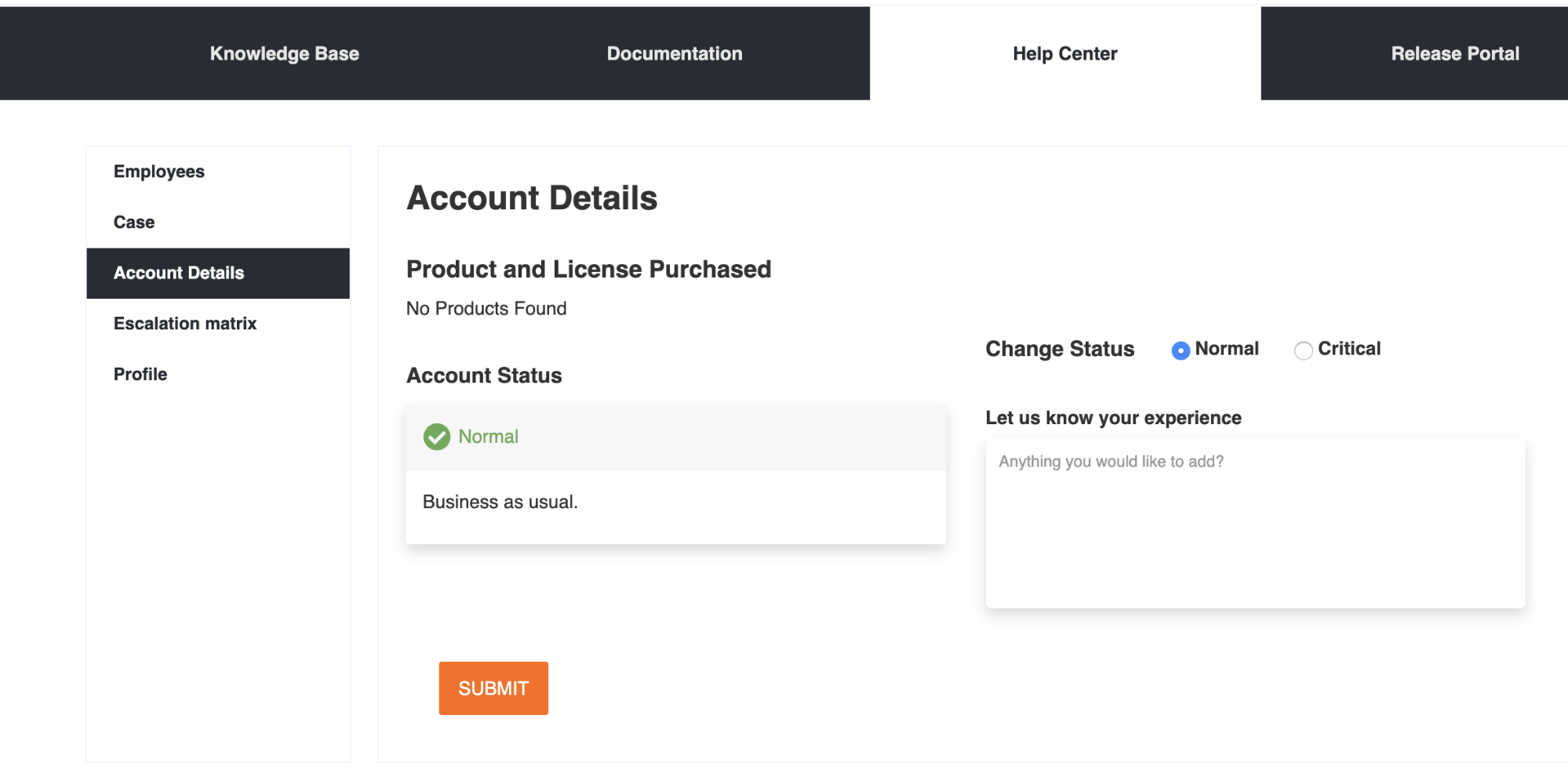
If you are unhappy with our product or service you can escalate the whole account by changing the ‘Account Status’. You will see and change the status of your account at the top of the page. Alternatively, you can also change this in the Account Details page.
Create an account on HelpCenter
- Open HelpCenter.appviewx.com
- Click on Register Now.
- Input your email address, phone number and Contact Prefered
- Your registration request will be sent to the Customer Success Manager (CSM) of your account.
- Once registered you will get an email asking to set the password for your account.
- Registration complete.





 icon. Choose the tracker as
 button after opening a case. Each click of the button will escalate it to the next level in the escalation matrix.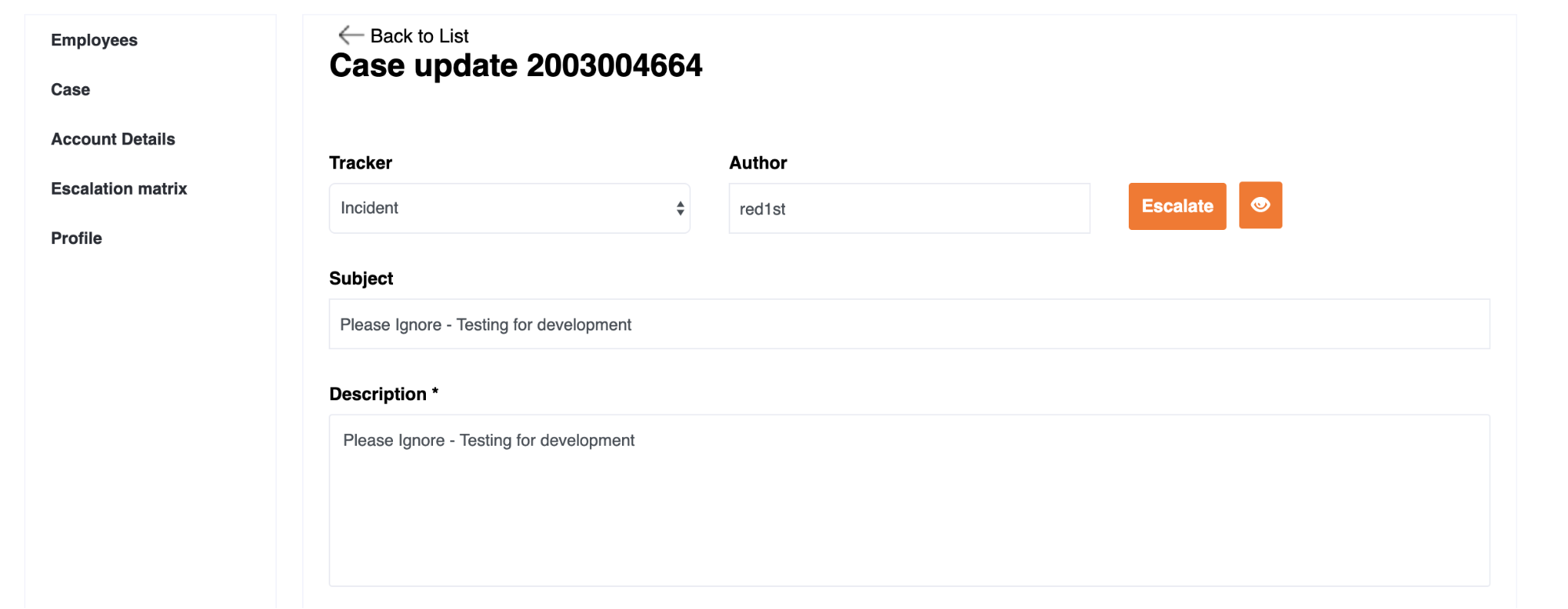
 button . You will be able to view the level to which this case is escalated to by clicking on this button.